

Due to the popularity of our events, tickets for some Data Science Festival events are allocated via a ballot.
Applying for a ballot does not guarantee you a ticket. Your place is only confirmed once your application has been approved and you have received your ticket.
Please see below for a step by step guide on how to apply.
All images are examples only. Please select the event you would like to attend from our upcoming events.
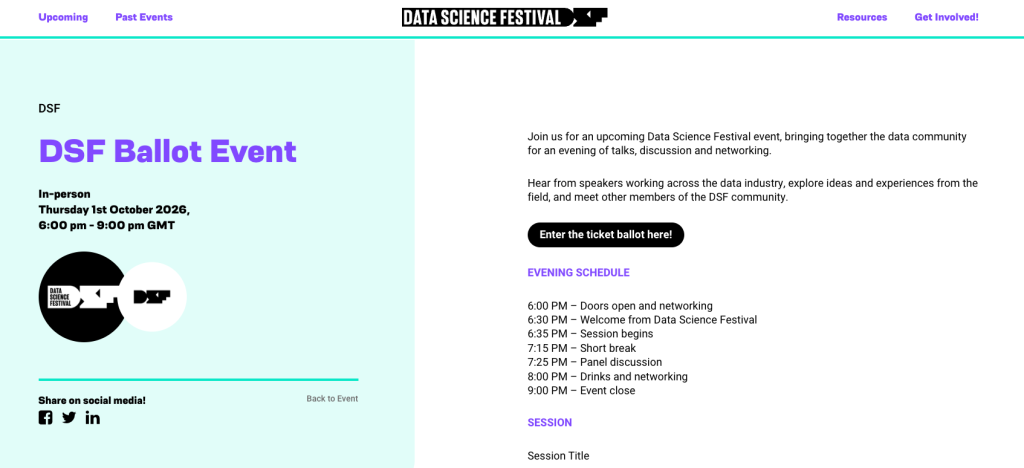
1) FIND THE EVENT YOU WOULD LIKE TO ATTEND
Select the event you would like to attend.
On the event page, click ‘Enter the ticket ballot here!’
2) OPEN THE BALLOT
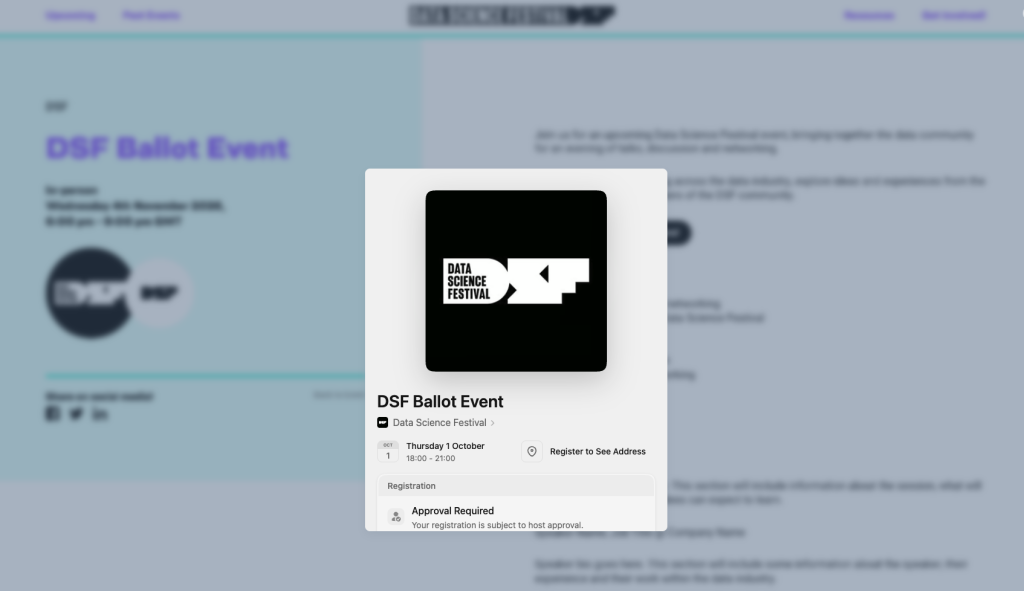
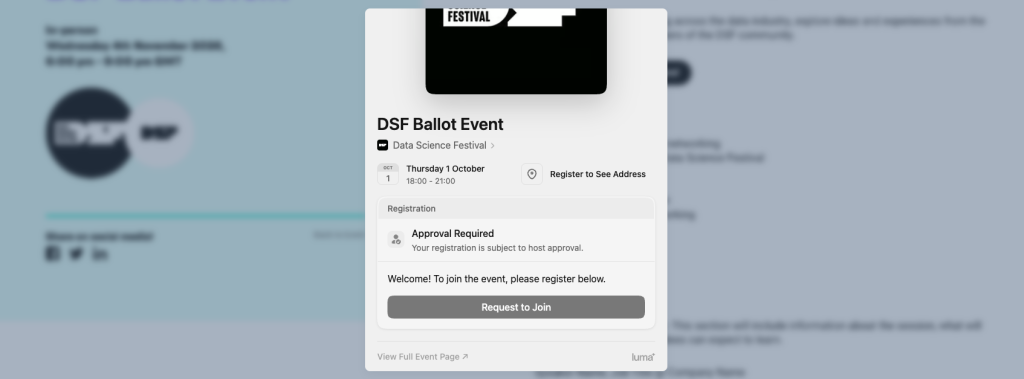
A Luma pop up will appear with the event details.
You will see ‘Approval Required’, which means that submitting the form does not automatically give you a ticket.
Click ‘Request to Join’ to start your application.
3) COMPLETE YOUR DETAILS
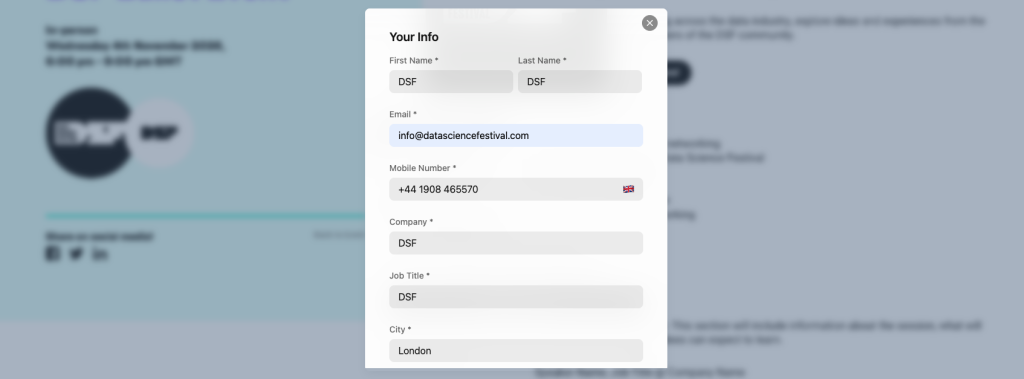
Complete the registration form with your details.
Please make sure you complete all required fields marked with an asterisk (*).
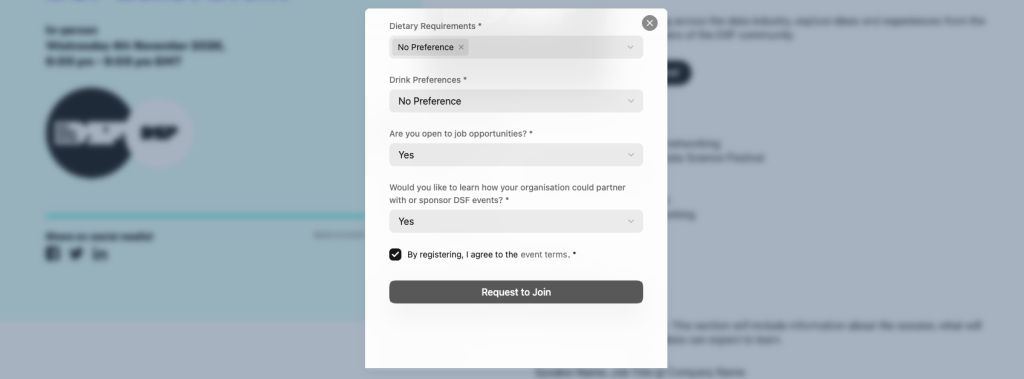
4) COMPLETE THE REGISTRATION QUESTIONS
Complete the remaining registration questions and agree to the event terms.
Once you have completed all required fields, click ‘Request to Join’ to submit your application.
5) YOUR APPLICATION HAS BEEN SUBMITTED
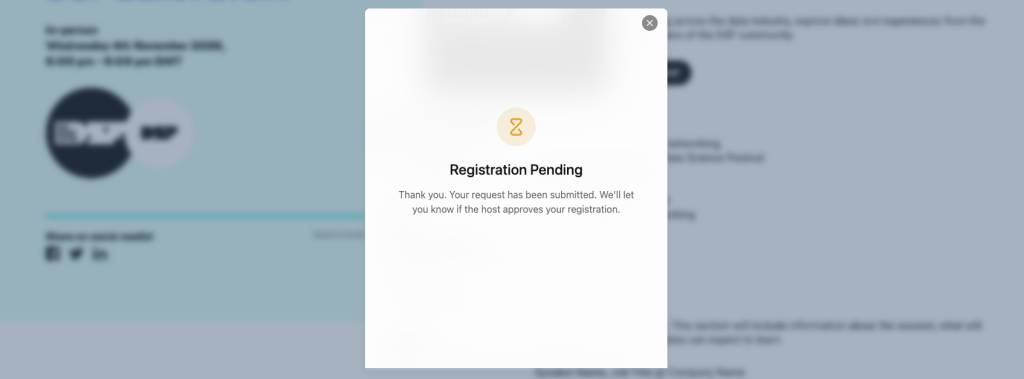
Once submitted, you will see a ‘Registration Pending’ message.
This confirms that your application has been successfully submitted and entered into the ballot.
This is not a ticket and does not yet confirm your place at the event.
6) YOUR REGISTRATION WILL REMAIN PENDING
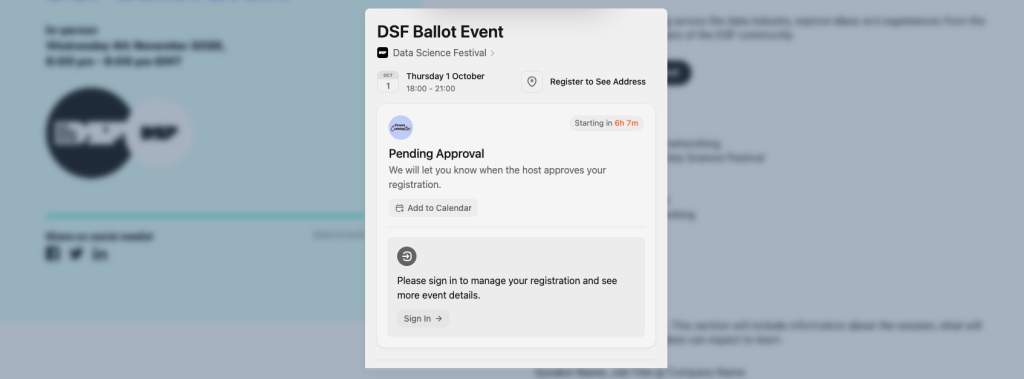
Your registration will show as ‘Pending Approval’ while you wait for the ballot to be drawn.
There is no need to apply again. We will contact you by email to let you know if your application has been successful.
You may also see an option to add the event to your calendar at this stage. This does not mean you have received a ticket. Your place is only confirmed once your application has been approved and you receive your ticket by email.
7) YOU WILL RECEIVE A PENDING APPROVAL EMAIL
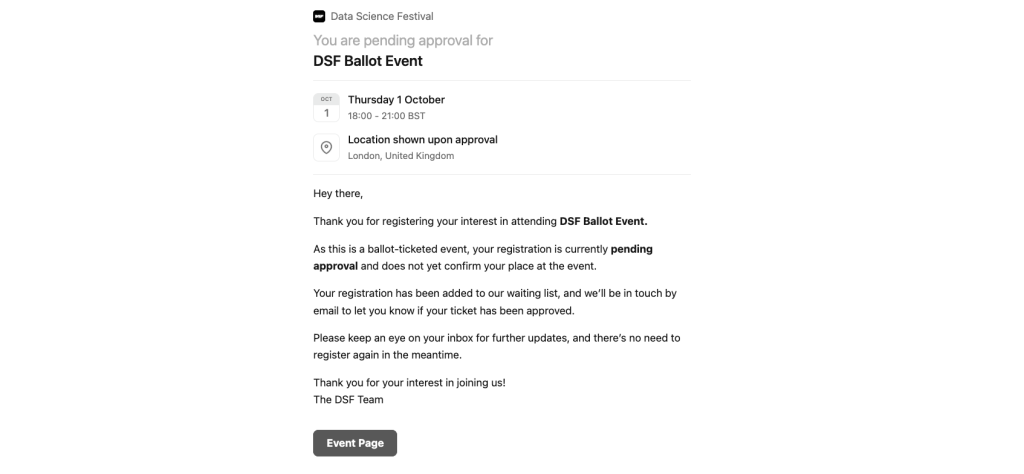
You will also receive an email from Luma confirming that your registration is pending approval.
Please keep an eye on your inbox for further updates.
Until you receive an approval email, you do not have a confirmed ticket for the event.
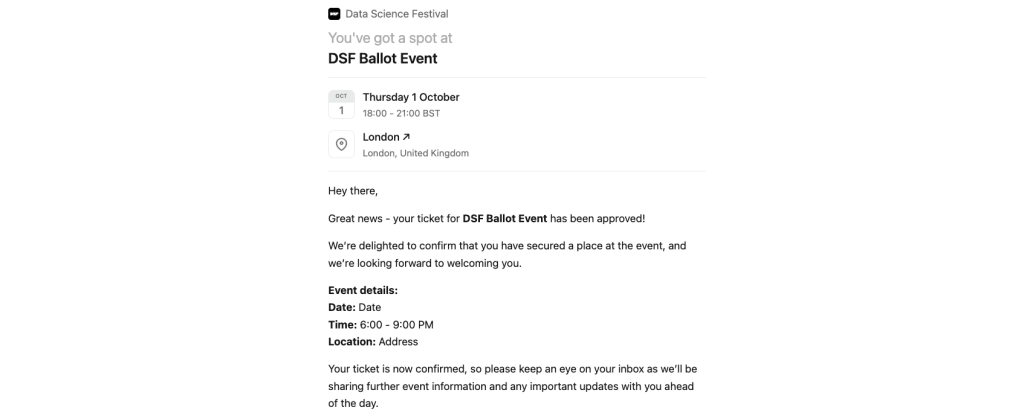
8) IF YOU ARE SUCCESSFUL IN THE BALLOT
If your application is successful, you will receive an email confirming that your ticket has been approved.
Your confirmation email will include the event details and a ‘My Ticket’ button.
For events where the exact venue is not shared during the ballot, the location will also become available once your ticket has been approved.

9) ACCESS YOUR TICKET
Click ‘My Ticket’ in your confirmation email to access your ticket and QR code.
You will need your QR code ticket when you arrive at the event so that a member of the DSF team can check you in.
You can also add your ticket to your mobile wallet for easy access.

IMPORTANT TICKETING INFORMATION
Applying for the ballot does not guarantee entry to the event. You must receive confirmation that your application has been approved and have a valid ticket to attend.
If your application remains pending and you do not receive an approval email, you have not been allocated a ticket.
If you receive a ticket but can no longer attend, please cancel your registration as soon as possible so that your place can be offered to somebody else.
Please have your QR code ready when you arrive at the event to help us check everyone in as quickly as possible.
See you at an event soon!
The DSF Team